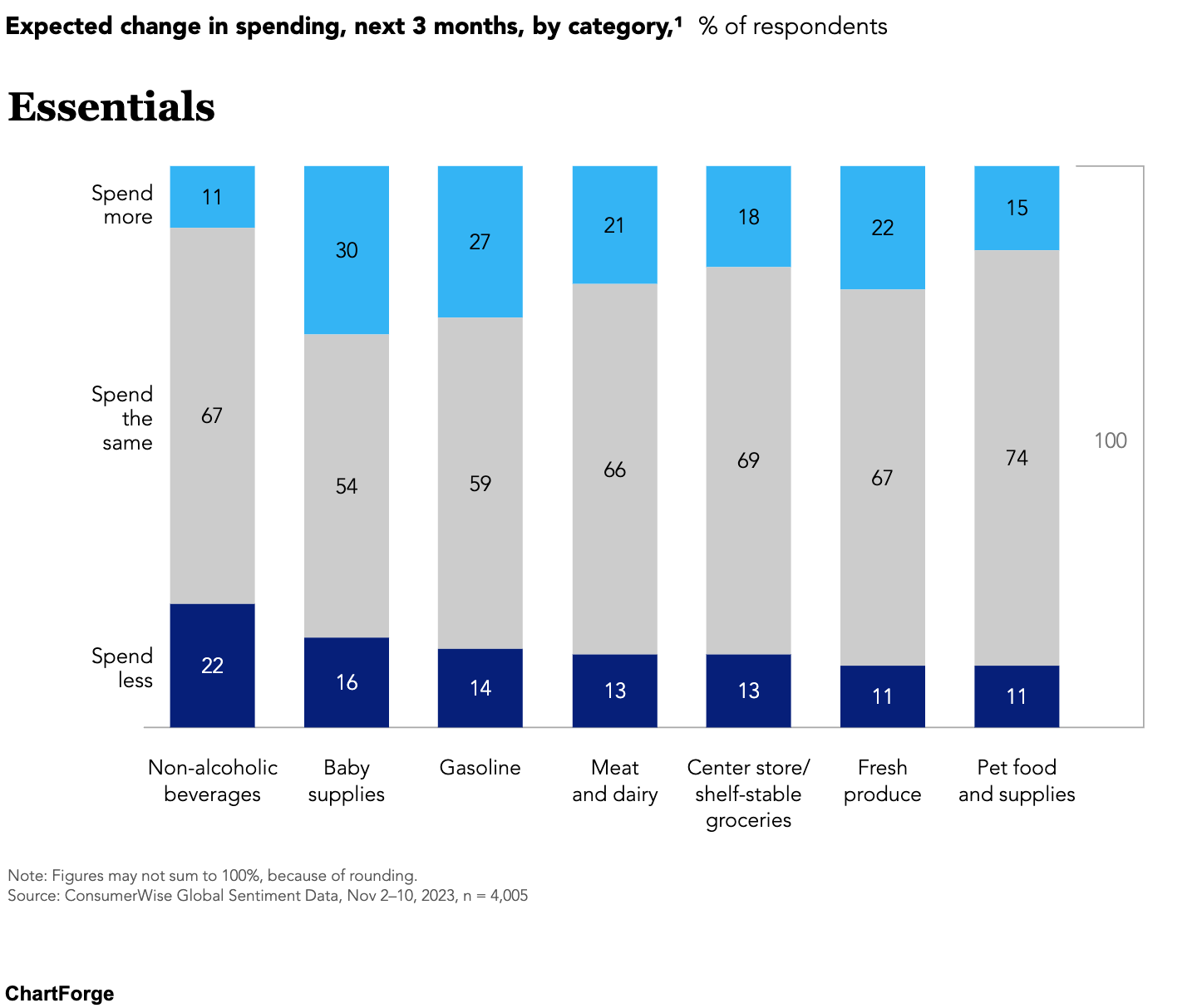
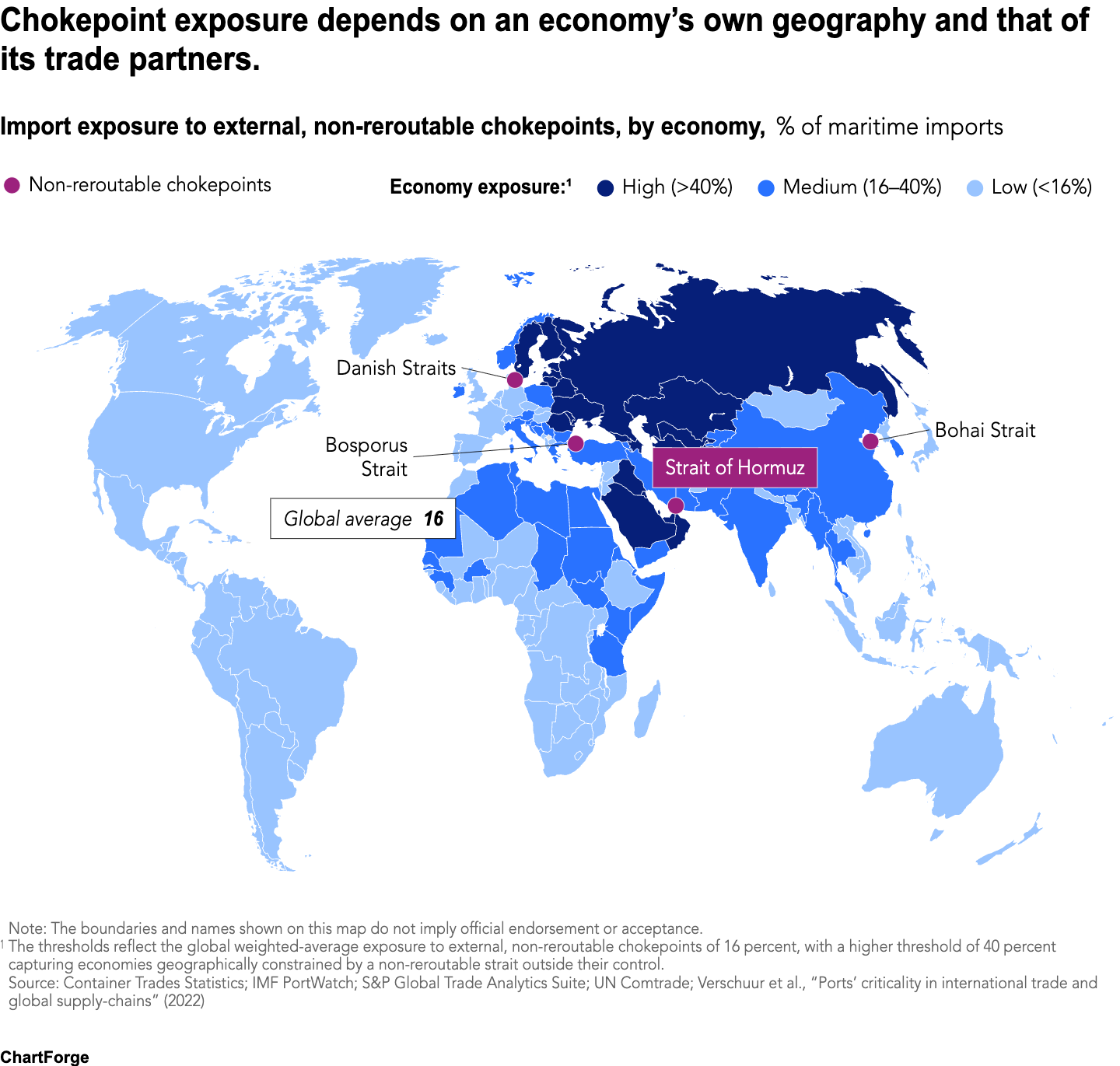
Primary Editorial Template · Stacked Bar
Ranked Stacked Bar & YoY Delta Chart Maker
Combine two-segment horizontal stacked bars, exact row totals, and a right-aligned growth/delta column in one crisp consulting-grade exhibit.
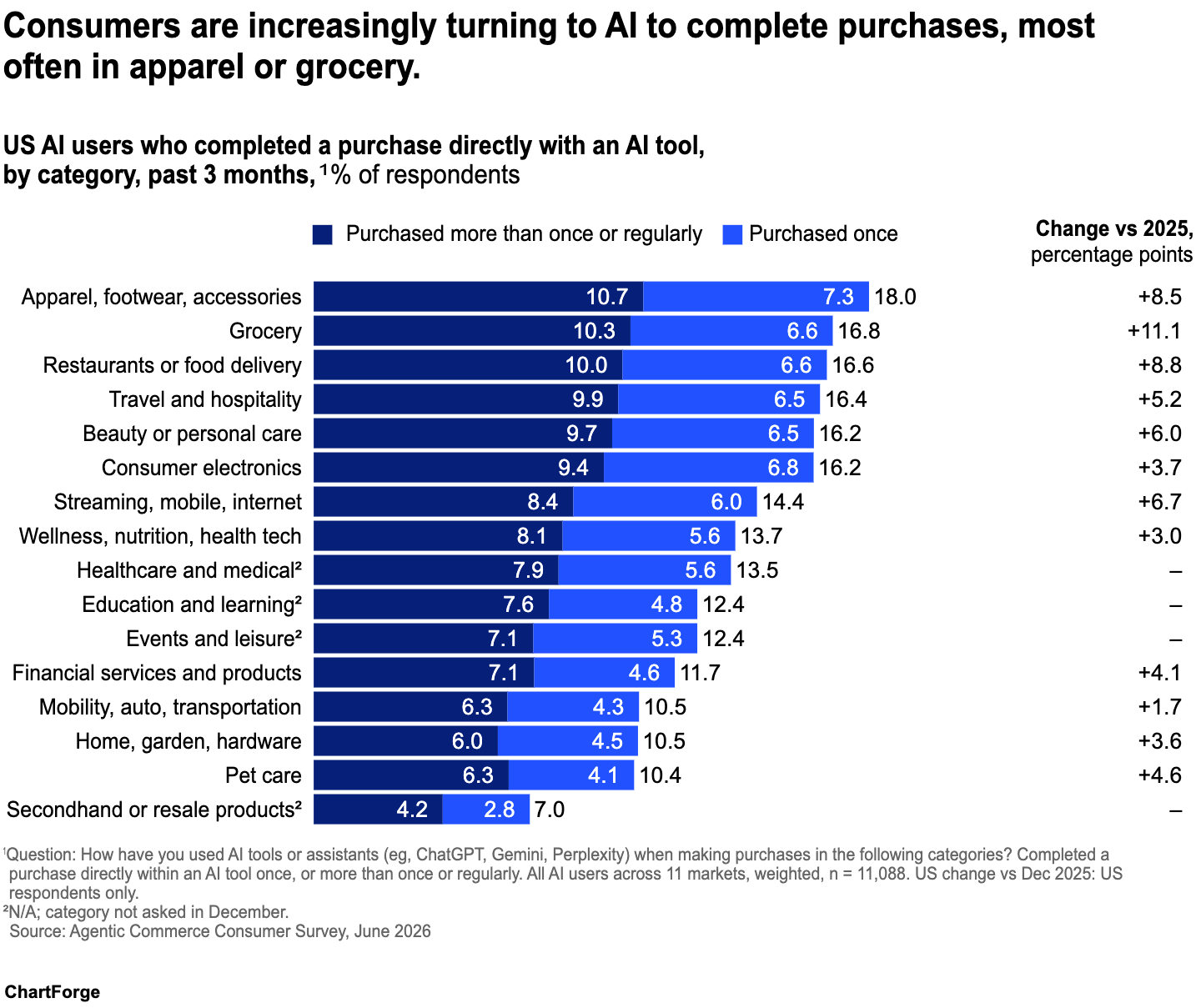
CSV/JSON: category, primaryValue, secondaryValue, change
6 Themes:
When to use Stacked Ledger
- ✓Ranking 5–16 categories while showing both total scale and recurring vs. one-time split
- ✓Pairing absolute performance bars with a clean right-hand YoY growth or percentage-point delta column
- ✓Delivering McKinsey/BCG-caliber market survey exhibits in minutes instead of hours
Ready-to-use CSV structure
Load in Studio →Department,Recurring,Occasional,YoY_Change_pp Engineering,42.5,24.0,14.2 Product,34.8,26.1,11.6 Marketing,29.2,28.4,9.8 Design,26.0,22.5,8.4 Sales,19.4,24.8,6.1 Operations,15.8,21.2,4.3 Legal,11.2,17.6,2.9
Frequently Asked Questions
What columns does Stacked Ledger map automatically?
Upload any CSV or JSON with category name, primary segment value, secondary segment value, and an optional YoY/delta column. ChartForge computes totals, bar scales, and dynamic height automatically.
Can I highlight my company or top rows in a contrasting color?
Yes. Mention the highlight in your initial prompt or click Finishing touches right after rendering (e.g., 'Highlight Engineering in warm amber').
Are the labels crisp enough for print reports and PDF decks?
Yes. Every chart renders at 2x Retina PNG plus crisp vector SVG and PDF with tabular alignment.