The Fast, AI-Native Think-cell Alternative
Get McKinsey-grade stacked columns, YoY delta ledgers, waterfalls, and Sankey flows straight from CSV, JSON, or plain English — no PowerPoint add-in required.
Think-cell is built for legacy Windows/Mac PowerPoint workflows with rigid per-seat annual contracts. ChartForge delivers the same crisp consulting visual grammar in 15 seconds in your browser, via Claude MCP, or via REST API — plus screenshot redesign and 13 editorial templates.
| Capability | ChartForge | Think-cell |
|---|---|---|
| Time to build a board-ready chart | ~15 seconds from CSV, JSON, or prompt | 10–25 min manual formatting in PowerPoint |
| 100% stacked columns & YoY delta bars | Built-in primary templates (Stacked Pillars, Stacked Ledger) | Supported via PowerPoint add-in |
| Sankey, Waffle Matrix & World Choropleths | All 13 editorial templates included | Limited / not supported natively |
| Redesign ugly Excel screenshots | 1-click AI Vision Redesign mode | Not supported |
| Google Slides, Keynote & Notion support | 2x Retina PNG, transparent PNG, SVG, PDF & HTML | PowerPoint-locked desktop add-in |
| Claude MCP & REST API automation | Included (Ultra plan + npm MCP) | No AI agent / MCP workflow |
| Pricing & commitment | 3 free/day · $35 / $69 / $149 mo, cancel anytime | Annual enterprise per-seat license (~$250–$300+/yr) |
Boardroom templates ready in 1 click
Explore all 13 templates →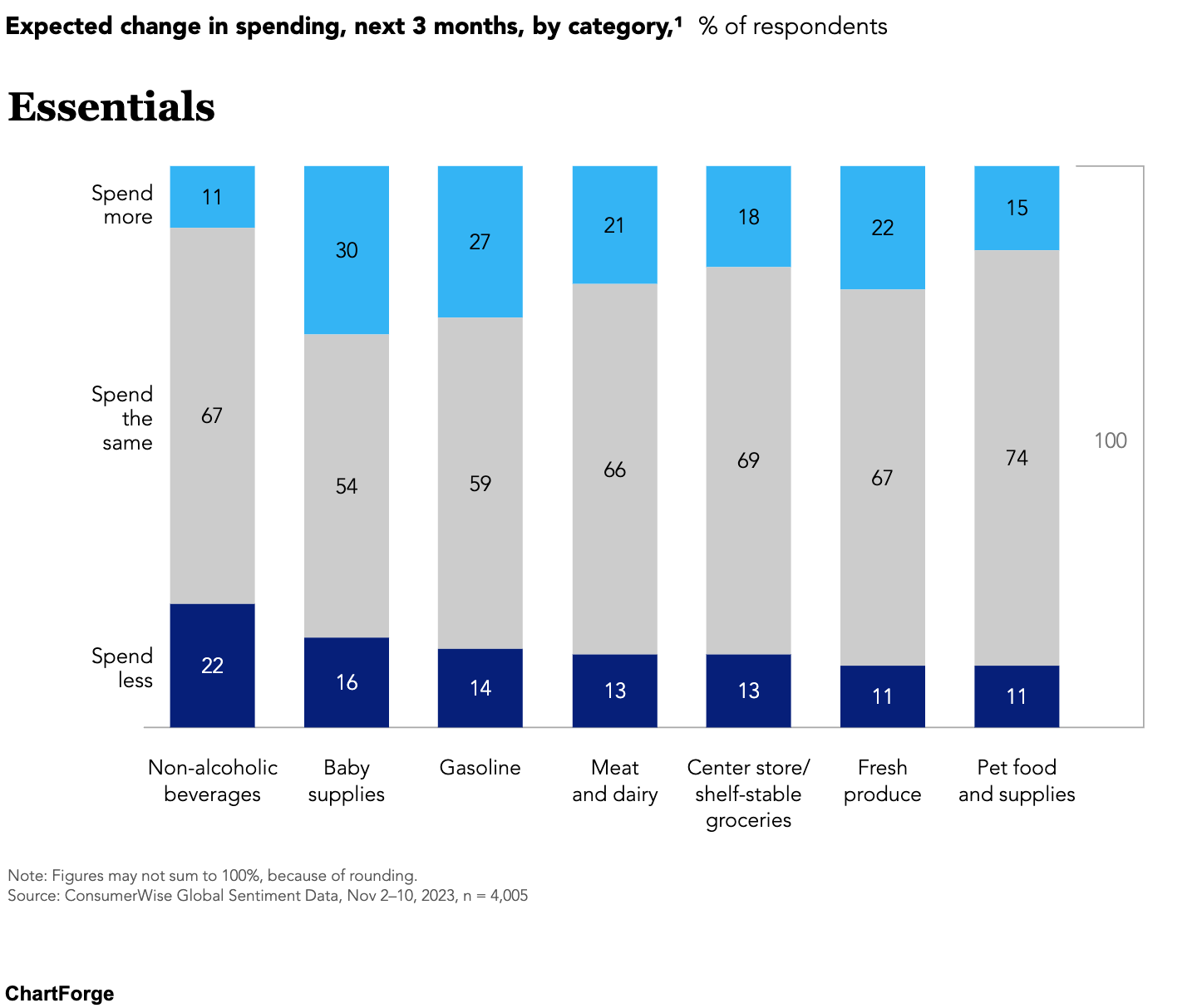
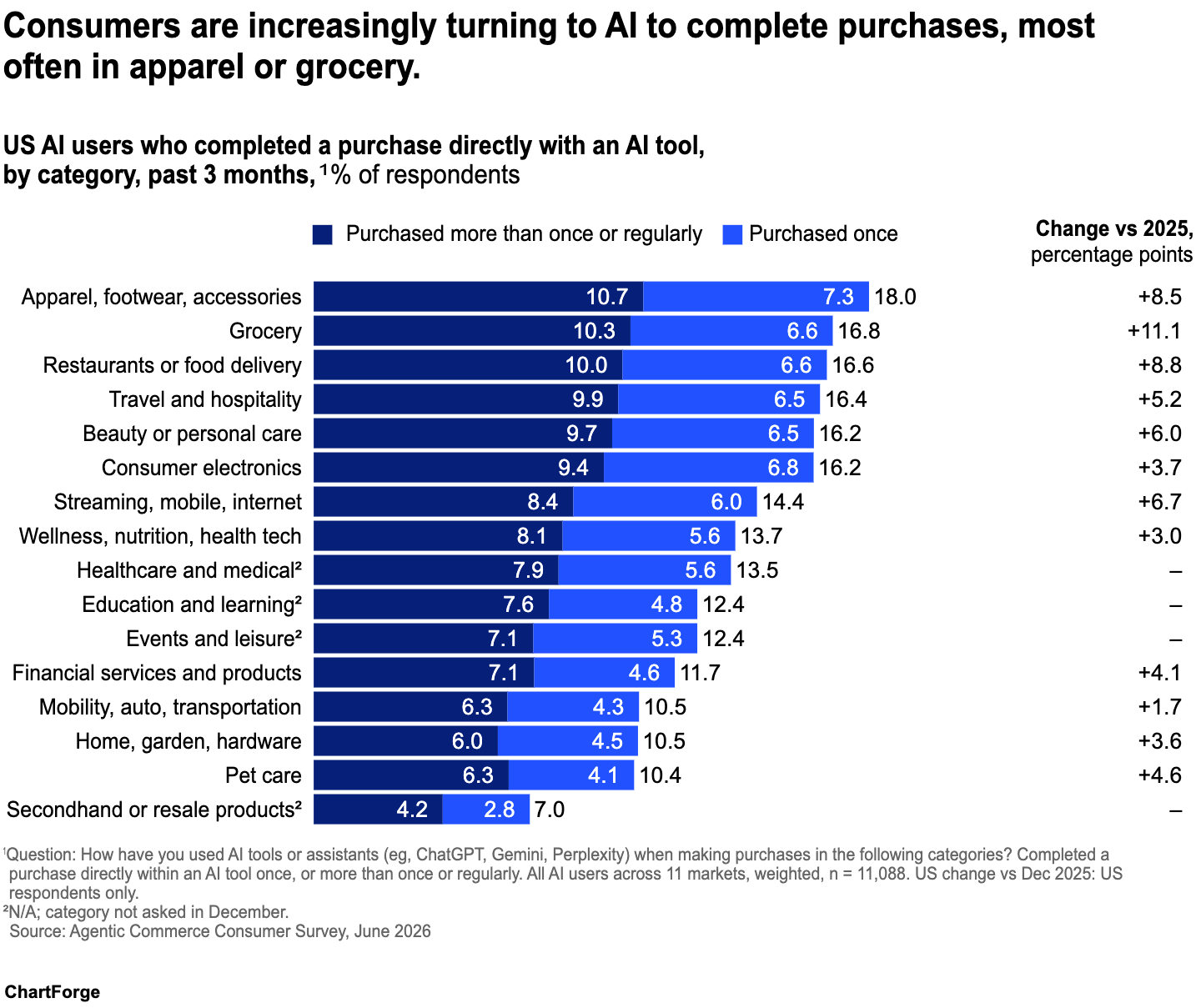
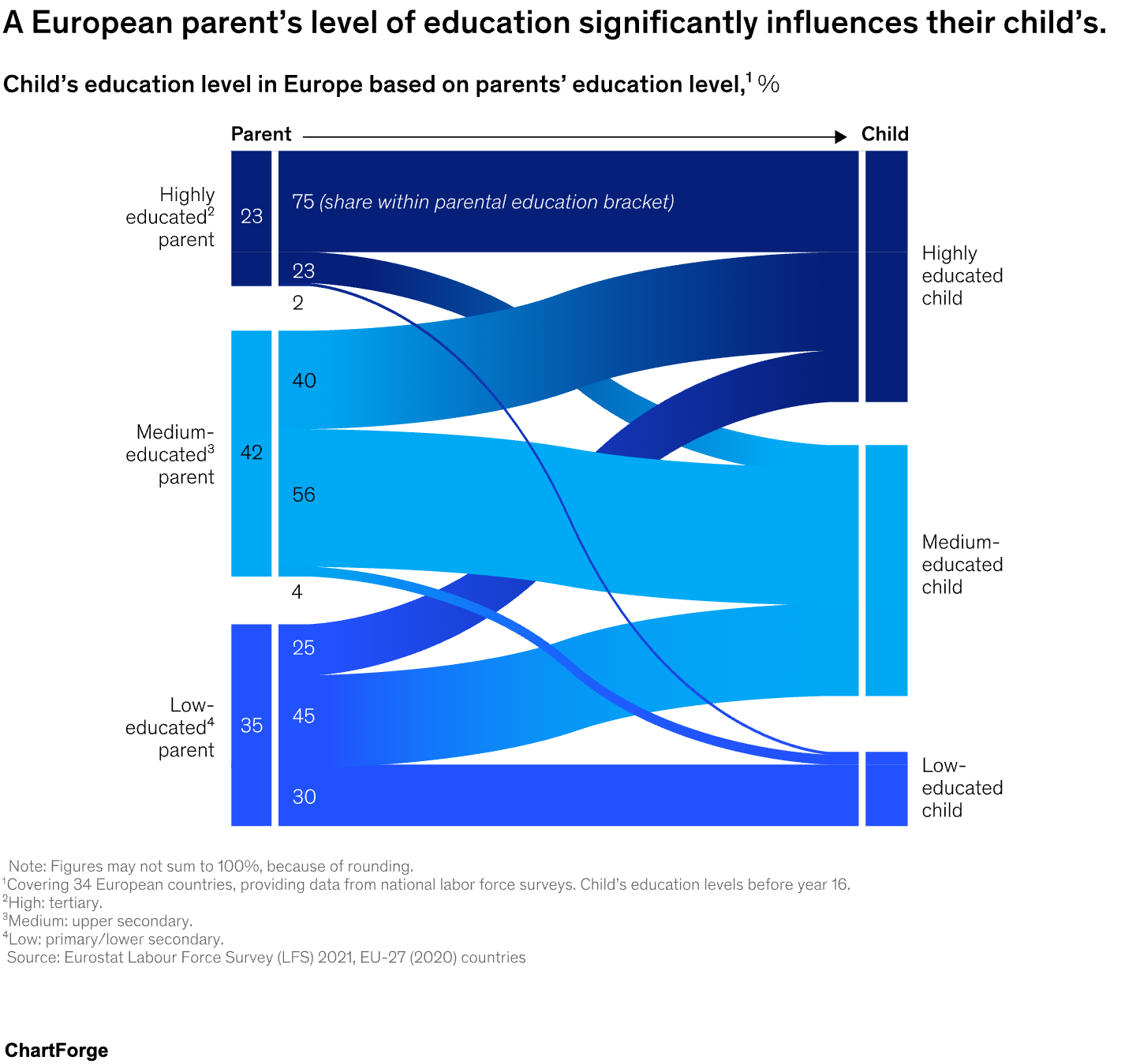
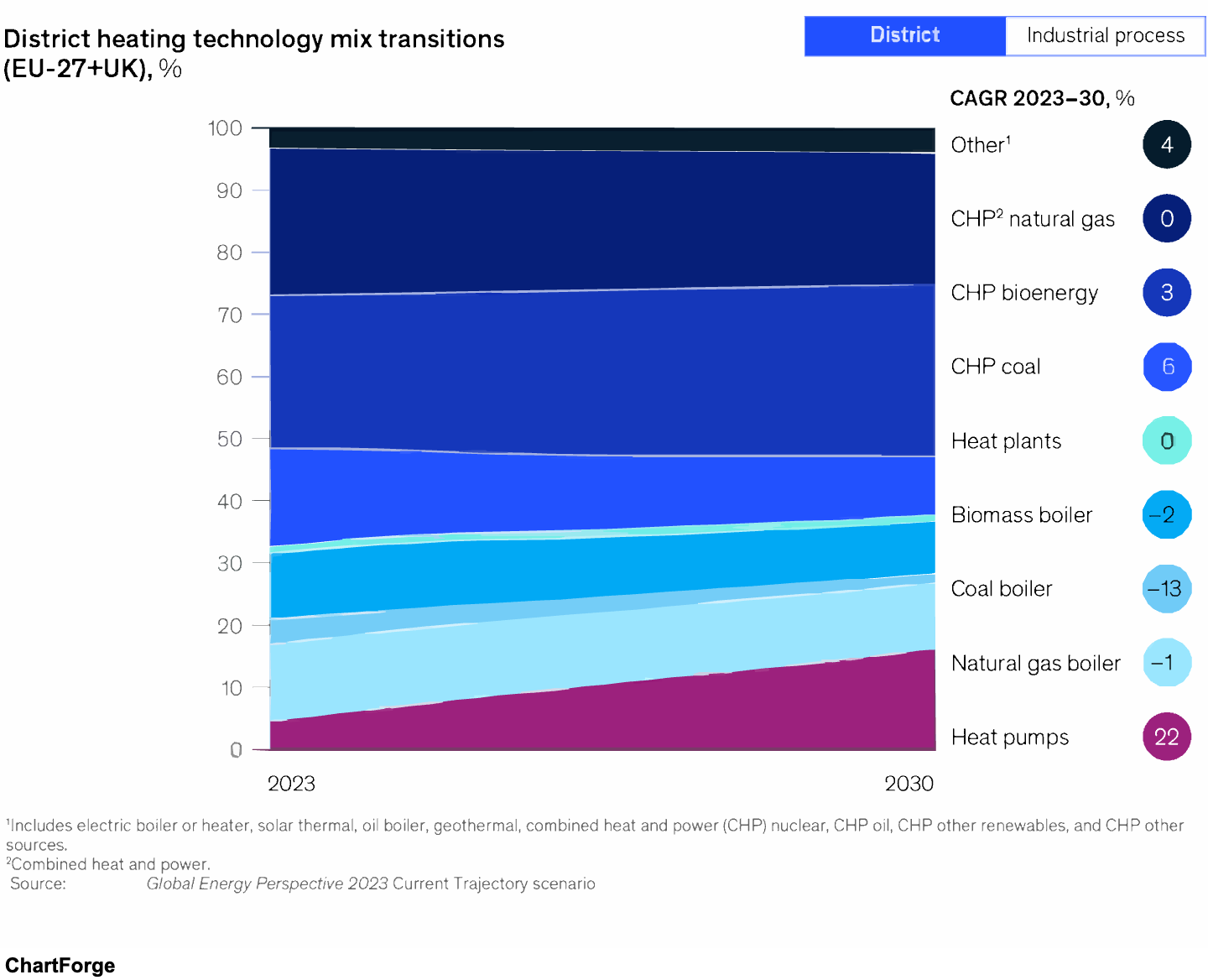
Frequently Asked Questions
Can ChartForge replace Think-cell for management consulting decks?
For 90% of strategy and executive decks — stacked bars with YoY deltas, 100% stacked columns, ARR waterfalls, CAGR stacked areas, Sankey flows, and global choropleths — ChartForge produces publication-grade SVGs and 2x PNGs in a fraction of the time.
Do exported charts drop cleanly into PowerPoint and Google Slides?
Yes. Export crisp 2x Retina PNG, transparent PNG, or vector SVG and paste directly into PowerPoint, Keynote, Google Slides, Figma, or Notion.
Can I match my firm's exact color palette?
Yes. Choose from 6 editorial theme presets or specify exact brand hex codes inside Finishing touches.